SSD Storage Maintenance: Improve Lifespan and Avoid Data Loss Risks
Portable SSD storage requires proper maintenance for long-term data safety. Experts recommend regular power connection, safe storage conditions, and multiple data backups to prevent data loss and improve SSD lifespan.
 Tech Author
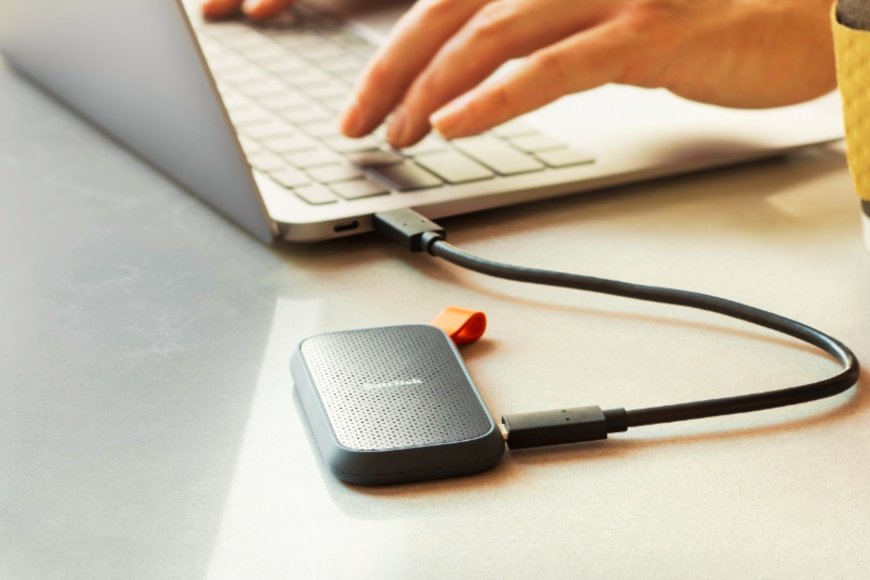
Portable SSDs are now widely used for portable storage and data backup. SSDs are more robust, lighter, and faster than conventional HDD storage. They are more resilient to drops and shocks because they do not have rotating components. Additionally, a lot of modern SSDs include dust and water protection. Many people trust SSDs to store essential data because of these advantages.
If you are using a portable SSD for storing important files, it is important to follow a few simple care tips. These small steps can help improve SSD lifespan and reduce the risk of data loss over time.
Store Your Portable SSD in a Safe Environment
The place where you keep your external SSD also matters a lot. To protect it properly, store it in a cool and dry area with stable room temperature. Try to avoid very hot or very cold places, as well as areas with moisture or water. Even if your SSD claims to be water-resistant, it is still safer to keep it away from liquids. You can also use small dust covers to protect the USB port from dirt and damage. Keeping your SSD in the right environment will help it last longer and work smoothly over time.
Importance of Regular Power Connection for SSD Health
SSD storage requires maintenance, especially if you intend to utilize it for long-term storage. Unlike traditional hard drives, SSDs retain data utilizing small electrical charges within memory cells. If the SSD is not connected to power for an extended period of time, these charges can gradually weaken. This may have an impact on the drive's performance over time. It is recommended that you link your external SSD into a computer or power source on a regular basis to keep it in good working order. This helps to keep the drive stable. When attached to power, the SSD can also run its built-in checking system, Error Correction Code (ECC), which checks for and automatically corrects faults.
Create Multiple Backups for Better Data Safety
It is never a good idea to depend on only one backup device. Even a high-quality SSD can face problems due to technical faults or unexpected damage. That is why having a proper data backup plan is very important. Instead of keeping your important files in just one place, store copies on different devices. You can use a mix of SSD, HDD storage, NAS systems, or even cloud storage to stay safe. Keeping your data in more than one location reduces the risk of losing important files and gives you extra peace of mind.
In simple terms, portable SSDs are excellent for speed and portability, but they need regular care and backup planning. By maintaining your SSD properly and creating multiple backups, you can protect your valuable files from unexpected data loss.
Information referenced in this article is from Pocket Link