Warning Signs Your External Hard Drive Is Failing and How to Prevent Data Loss
Learn the warning signs of external hard drive failure including strange noises, corrupted files, slow performance, and stalled transfers. Understanding these HDD failure symptoms helps prevent data loss and protect important files with timely backups.
 Tech Author

External hard drives are widely used for data storage and backup, but they are not intended to endure forever. Most external HDDs last between three and five years, depending on how they are used and stored. If the drive is of low-quality or cheaply made, it may fail even sooner. To avoid losing important files, users should be aware of the warning signals of a failing external hard drive.
Slow Performance and File Transfer Issues
A slow external hard drive is often an early indication that something is wrong with the device. Normally, when you connect an external HDD, files should open immediately and data transfers should be seamless. However, if you notice that the drive takes a long time to open folders, load files, or copy data, it could mean that the hard drive is having trouble reading certain areas of the disk.
This usually happens when some sections of the hard drive, known as sectors, become damaged or unreadable. When the system tries to access data stored in these areas, the hard drive repeatedly attempts to read the information. This repeated effort can make the drive extremely slow, causing delays when opening files or transferring data. In some situations, you might also notice that file transfers suddenly freeze, stop, or take an unusually long time to complete. This happens because the computer cannot properly retrieve data from the damaged sectors on the disk. If these issues continue to appear, it may be a sign that the external hard drive is slowly failing and should be replaced to avoid losing important data.
Strange Noises from the Hard Drive
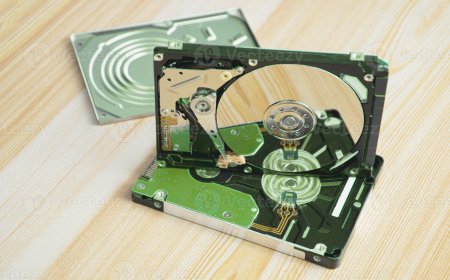
One of the most common signs of a defective external hard disk is odd sounds. Hard drives have multiple moving components, including spinning disks and a read/write head for storing and retrieving data.
Normally, an HDD makes a quiet humming sound while running. However, if you start hearing clicking, scratching, knocking, or beeping sounds, this could indicate a significant hardware issue. These sounds usually indicate that internal components are damaged. This frequently occurs when the external drive is dropped, exposed to moisture, or physically damaged. hard drives are sensitive devices that should always be handled with care.
Damaged or Missing Files
Another warning sign of a failing external hard drive is when files become corrupted, disappear, or show access errors. Sometimes this can happen due to malware, so running a virus scan is important. If no malware is found, the problem may be caused by bad sectors, which are damaged areas of the disk that cannot store or read data properly. As these bad sectors increase, the hard drive may be close to failure, so backing up important files immediately is recommended.
Protect Your Data Before It’s Too Late
If you notice any of these warning signs, the best step is to back up your important files. Continuing to use a failing hard drive can lead to data loss. Users can move their files to another external drive, cloud storage or a more reliable SSD storage device.
In serious cases, professional data recovery services may be required. However, users should never open the hard drive themselves, as even dust can permanently damage its internal parts.
Recognizing the early signs of external hard drive failure can help protect valuable data and prevent unexpected loss.