SSD Speed Dropping Over Time? Learn How TRIM and Garbage Collection Improve Performance
SSD performance can slow over time due to low free space and inefficient data management. Enabling TRIM, maintaining free storage, and optimizing SSD garbage collection can improve SSD speed, performance, and lifespan.
 Tech Author
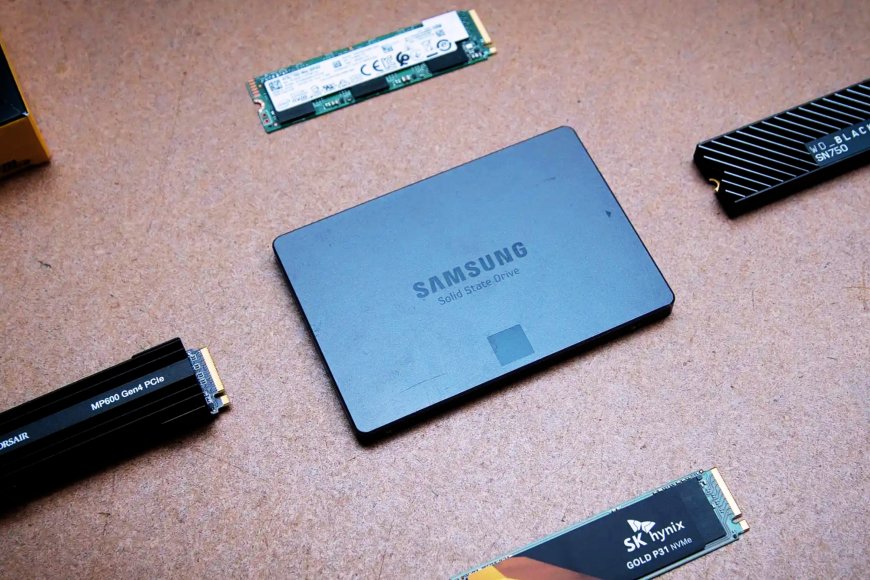
SSDs have become the primary storage option for modern computers. They are significantly faster than traditional hard drives, have no moving parts, and provide a more responsive computing experience. Because of these benefits, most laptops and desktop computers now use SSDs as their primary storage device. However, many users note that after a few years, their SSD becomes slightly slower than before.
You may notice that boot times increase, applications take longer to open, and file transfers slow down. This does not necessary indicate that the SSD is damaged. In many cases, this is due to how SSDs manage data in their NAND flash memory.
Why SSD Performance Slows Down Over Time
One major reason for slower SSD performance is low free storage space. When an SSD is new, it has plenty of empty memory blocks available to store data. This allows the drive to write new files quickly and maintain fast performance. However, as the drive becomes full, the number of empty blocks decreases. When new data needs to be written, the SSD must first move existing data and clear partially filled blocks. This background process is called garbage collection.
Garbage collection is important because it helps keep the SSD organized and efficient. But when the drive becomes almost full, this process takes longer. As a result, write speeds slow down and the system may feel less responsive.
TRIM Command Helps Maintain SSD Performance
The TRIM command is an integrated feature of modern SSDs that helps sustain the drive's performance over time. This feature is crucial to maintaining SSD storage efficiency and speed, particularly when the drive begins to fill up with data.
TRIM informs the SSD which data blocks can be safely deleted because they are no longer needed. This helps in the drive's proactive cleanup of unused space. The SSD may gather garbage more effectively when TRIM is enabled, which boosts performance and reduces away unnecessary write operations. Using the Command Prompt, users can quickly determine whether TRIM is activated in Windows. TRIM is already turned on by default in the majority of modern systems.
Keep Some Free Space for Better SSD Performance
Another simple method to keep your SSD functioning properly is to avoid filling it completely. Experts recommend leaving 10-15% of the storage space empty. Having extra free space allows the SSD to manage data more efficiently. This improves performance, extends drive life, and keeps your computer functioning smoothly. When the drive has enough empty blocks, it can do garbage collection and data writing significantly faster. Keeping some storage free additionally removes unneeded load on the SSD, resulting in more steady speed and long-term durability.
Conclusion
SSDs are fast and reliable, but their performance can slowly decrease if they are not properly managed. Simple steps like keeping TRIM enabled and maintaining some free storage space can help maintain SSD speed. These small maintenance habits allow the drive to manage data more efficiently. By following these tips, users can keep their SSD performing smoothly for a longer time.
This article is based on information from XDA