Click of Death: What to Do When Your Hard Drive Starts Clicking
Learn what causes the hard drive Click of Death, how to handle a clicking hard drive, recover lost data, and safely dispose of damaged drives.
 Tech Author
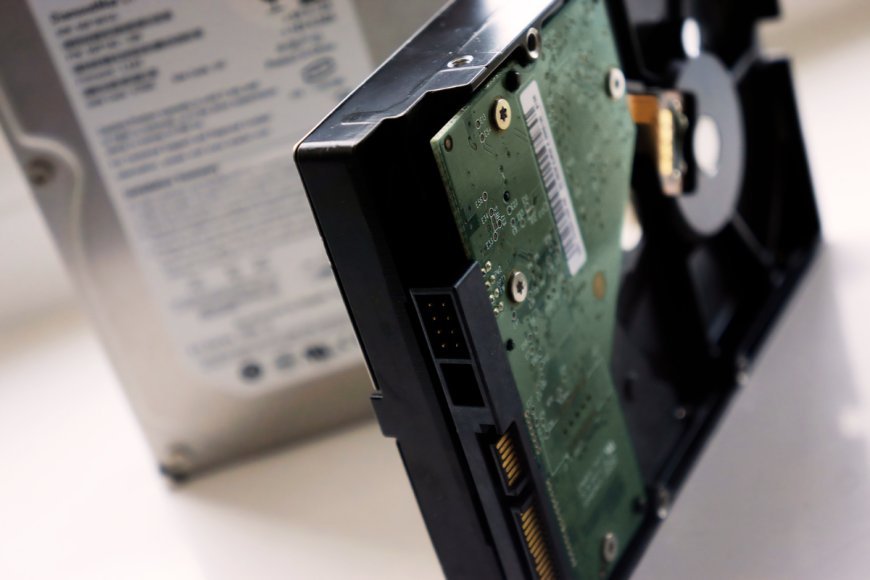
A clicking noise from a hard disk may indicate serious damage. This condition, also known as the "Click of Death," may indicate that the hard drive's core components are not functioning properly. If you hear frequent clicking sounds from your hard drive, it is critical to backup your data before the drive fails completely.
What Is the Click of Death?
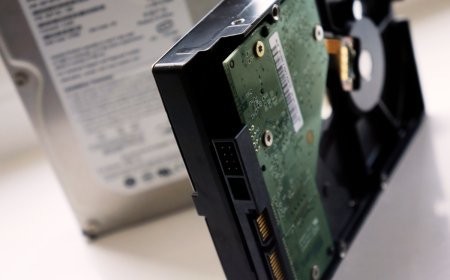
The Click of Death is a clicking sound produced when a hard drive's read/write heads, actuator, or other internal components fail. These components enable the drive to read and store data. When they stop working properly, the drive may struggle to access files or become unusable. Ignoring this warning may result in irreversible data loss, particularly if you do not maintain a backup.
Several problems can cause a hard drive to make clicking noises. These include normal wear and tear, overheating, strong vibrations, and physical damage. In some cases, moisture can cause the read/write heads to stick to the disk platters, preventing the drive from working properly.
If your hard drive starts clicking unexpectedly, avoid using it repeatedly, as further activity could make the damage worse.
Is It Possible to Repair a Clicking Hard Drive?
A hard drive with clicking noises caused by physical damage is unlikely to be safely repaired for regular use. If you already have a backup, you can restore your files to another drive.
If your important data is not backed up, consider contacting a professional data recovery service. Avoid opening the hard drive yourself, as dust and improper handling can cause further damage. The commonly suggested freezer trick involves placing a hard drive in a freezer to try to free stuck internal parts. However, this method is risky and unreliable. Temperature changes can cause condensation and additional damage, so it is best to avoid it.
Safe Ways to Dispose of a Damaged Hard Drive
A broken hard drive may still contain personal files, passwords, or business information. Before disposing of it, use a trusted specialist that offers secure data destruction. If the data is sensitive, ask for professional physical destruction when secure wiping is not possible.
If your hard drive is clicking, damaged, or no longer working, our professional data recovery and secure data erasure services can help. We can assess your storage device to determine whether your important files can be recovered and help you securely erase sensitive data before disposal or reuse. Whether you need to recover valuable files or protect confidential business information, explore our services to find the right solution for your needs.
To reduce the risk of future data loss, back up important files regularly and keep copies on separate storage devices or in secure cloud storage. A clicking hard drive should be treated as a warning to protect your data, not as a problem to ignore.