Protect Your SIM Card from Unauthorized Access with This Simple Security Setting
SIM card security is crucial to prevent SIM swapping fraud, OTP theft, and account hacking. Enabling a SIM PIN helps protect personal data, banking access, and mobile identity from cybercriminals and unauthorized SIM card misuse.
 Tech Author
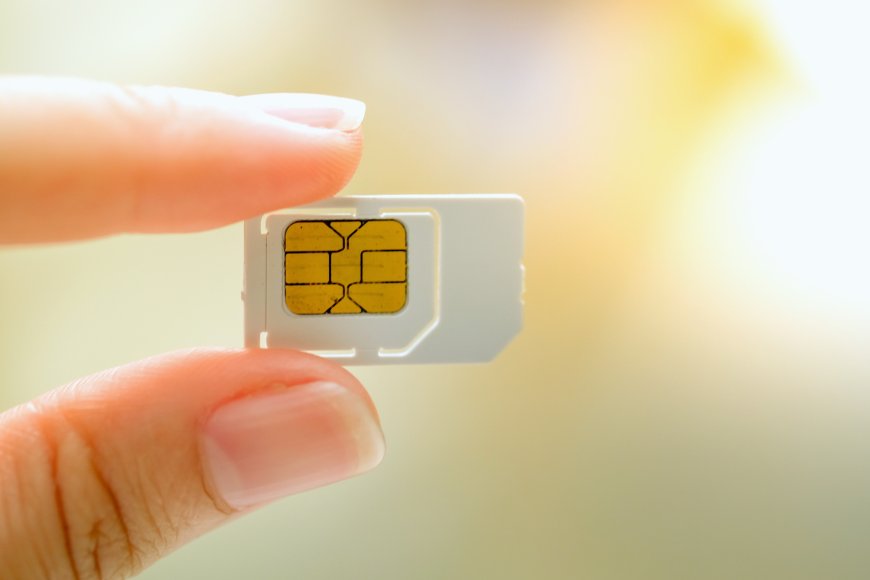
Your SIM card may appear little, yet it is really vital in your digital life. It is used for more than simply calls and messages, it also receives OTPs (one-time passwords) and allows access to critical services such as banking, social media, and emails. As a result, SIM cards have become a popular target for cybercriminals via an method known as SIM swapping.
It is a sort of fraudulent activity in which a hacker moves your mobile number to a new SIM card. Once in charge, they can get your OTPs and access your accounts. This can result in major issues including bank fraud, account hacking, and identity theft.
What is SIM PINs and how it protects your Data
One of the best ways to protect yourself is by enabling a SIM PIN. This is a simple four-digit code that locks your SIM card. When a SIM PIN is active, the card cannot connect to the network unless the correct code is entered.This means that even if someone steals your SIM card and inserts it into another phone, they cannot use your number without the PIN.
Every SIM card comes with a default PIN set by the mobile carrier, but users can change it to a personal code for better security.
When you enable a SIM PIN, your phone will request the code each time it reconnects to the network. This occurs when you restart your phone, switch devices, or insert a SIM card.
There is also a safety feature in that you only have three attempts to enter the right PIN before the SIM is locked. To unlock it, you'll need a unique PUK (Personal Unlocking Key) from your carrier. This makes it difficult for attackers to guess your PIN or access your SIM card.
Protect your SIM Card from unauthorized access
The greatest risk nowadays is not someone locking your SIM, but someone utilizing it to steal your data and money. Many internet services still use SMS-based verification, making SIM security critical. Enabling a SIM PIN provides an extra layer of security and lowers the possibility of SIM switching attacks.
You can easily enable a SIM PIN on your device:
- On iPhone: Go to Settings → Cellular → SIM PIN, then turn it on and set your PIN.
- On Android: Go to Settings → Security & Privacy → SIM Lock (or SIM card settings), then enable SIM lock and set your PIN.
Once enabled, your SIM will require the PIN every time it connects to the network, keeping your number and accounts secure.
Conclusion
Your SIM card is a small but powerful part of your digital identity, and keeping it secure should be a priority. Simple steps like enabling a SIM PIN can protect your personal data, bank accounts, and online profiles from serious threats like SIM swapping. Taking a few minutes to secure your SIM today can help you avoid major problems in the future.
This article is based on information from Make Use Of (MUO)