Why SSD Is Not Ideal for Offline Backup and Long-Term Data Protection
SSDs may lose data over time without power, making them risky for long-term storage. Experts recommend using HDD storage and cloud backup solutions for reliable data protection and secure archival storage.
 Tech Author

SSDs are quick, modern, and ideal for everyday use. Most individuals choose an SSD as their boot drive since it speeds up computer booting and app opening. But when it comes to long-term data storage, SSDs may not be the most secure option. Many users are unaware that SSD storage works substantially differently than regular hard drives.
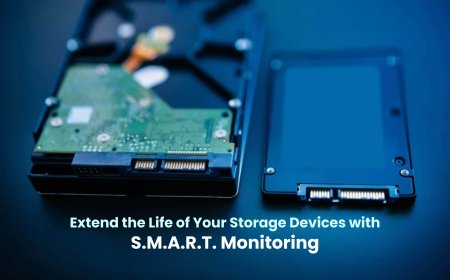
SSDs use electrical charges to store data inside NAND flash memory cells. These cells require power to keep the data safe. If an SSD is left without power for an extended period of time, the stored charge gradually diminishes. This means that if you store an SSD in a drawer for one or two years without using it, the SSD's internal memory cells may degrade over time due to a lack of electricity, affecting its general condition and dependability when powered back on. Industry standards say that most consumer SSDs can safely keep data for about a year without power at normal room temperature. If the drive is stored in a hot place, the risk of data loss increases even faster. That is why experts do not recommend SSDs for offline backup or archive storage.
On the other hand, HDD storage (Hard Disk Drive) operates differently. Data is magnetically stored on spinning platters in hard disk drives. Magnetic storage does not diminish even when the drive is unplugged. A properly stored HDD can protect files for many years. HDDs are still regarded as more reliable when archiving important digital files.
Another significant factor is cost. A 4TB external HDD is significantly cheaper than a 4TB SSD. If you simply need storage for backup and not for speed, buying more for SSD performance is unnecessary. HDDs, however, have moving parts and should be handled with care. Store them in a cold, dry location and turn them on once to check your data.
For complete data protection, cloud storage backup is becoming the best and most reliable option today. An external hard drive can protect you from system failure, but it cannot save your files from theft, fire, flood, or physical damage. Cloud backup keeps your files stored safely on secure online servers, away from your home or office. Even if your laptop is stolen or your hard drive crashes, your important files remain safe in the cloud.
One of the biggest advantages of cloud storage is automatic backup. Once set up, it runs in the background and regularly updates your files without extra effort. This reduces the risk of forgetting to back up important documents. Cloud services helps you recover files if something is deleted or changed by mistake.
The optimal storage approach remains to combine SSD, HDD, and cloud backup, but cloud storage should be your primary security layer. Use SSD for daily performance, HDD for local backup, and cloud backup as your primary safeguard. This adheres to the well-known 3-2-1 backup rule, which states that you should keep three copies of your files on two distinct types of storage, with one safely saved online. In today's digital environment, cloud storage is not simply a choice; it is a wise and necessary move toward long-term data protection and peace of mind.