Improve PC Performance and Storage Management With These Alternatives to a Single Large SSD
A single large SSD may seem convenient, but using an HDD, NAS storage, or secondary drive can improve PC performance, save storage space, increase SSD lifespan, and provide better data backup and file management.
 Tech Author
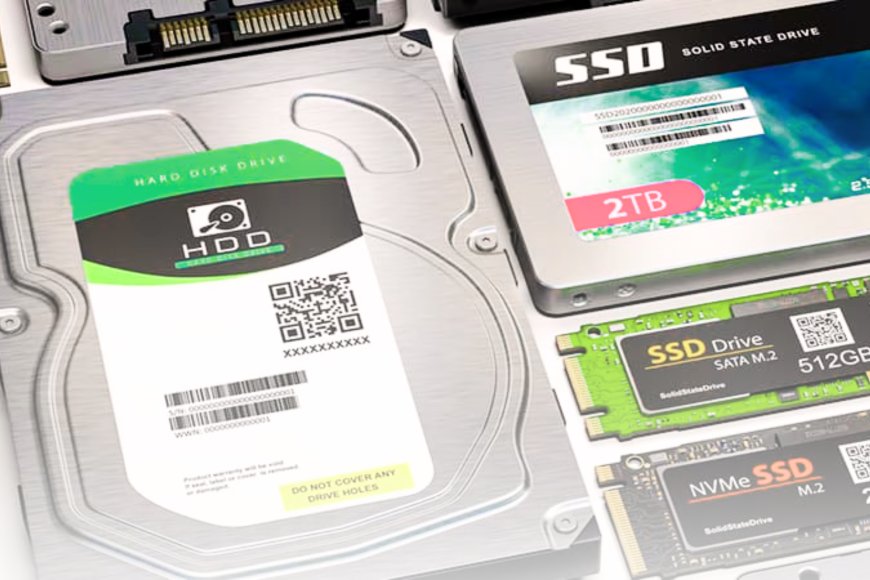
Today, many individuals who buy new PCs choose for a single SSD to handle everything, from Windows and programs to images, videos, and backups. SSD prices have dropped, making this setup increasingly popular. However, using one storage device to store all data may not be the most effective method.
As an SSD fills up, performance may suffer over time. Storing operating system files, personal documents, media collections, and backups on the same drive complicates storage management. This is why many experts advise dividing different types of data across numerous storage devices to improve efficiency, organization, and drive longevity.
Add an HDD for Affordable High-Capacity Storage
A hard disk drive (HDD) is one of the most affordable storage choices available. While it is slower than an SSD, it provides far more storage space for a lower price. Users can keep images, videos, audio, backups, and outdated files on an HDD and use SSD capacity for daily tasks. This solution strikes a compromise between speed and storage capacity, allowing consumers to avoid spending more money on larger SSDs.
Move Folders & Files to a Secondary Drive
Moving folders such as Downloads, Documents, Pictures, and Videos to another drive is a simple way to free up SSD storage space. These folders frequently contain large files that increase over time, consuming important storage space. By moving these data to a secondary drive, users may keep their primary SSD dedicated to Windows and essential applications. This can contribute to smoother performance while also making it easier to organize and manage personal data.
NAS Storage Enhances Backup and Data Protection
A NAS (Network Attached Storage) system is a good solution for users that require enhanced storage and backup capabilities. A network-attached storage (NAS) device allows users to store media libraries, automatic backups, work data, and photo collections.
This method reduces load on the primary SSD while increasing data security and backup management. Many technology experts believe that combining an SSD with an HDD or NAS results in a more intelligent and dependable PC storage configuration than relying just on a huge SSD. A smarter PC storage setup can help users get better speed, reliability, and long-term value from their system.
This article is based on information from XDA